

 Facebook page.
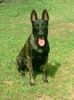
We have not been on the forum for a bit...but I realized how much I missed the pics of all your beautiful pups! So we are back! Thought we'd share some pics of Gunner. She is 15 months old and just the best pup.
We have had a lot of snow up here and she loves diving for her frisbee (kong flyer...has lasted for months!) and getting her nose all snowy.
She had one "episode" a few weeks ago where she decided she just hated the upholstered bench we had in our front hall.
Gunner sends her puppy kisses...hope you enjoy our pics!
Sarah & Gunner
Our Sweet Little Gunner
-
GunnersMom
- Just Whelped
- Posts: 15
- Joined: Thu May 10, 2012 4:51 pm
- Tell us about yourself: My name is Sarah and my Dutch Shepherd is Gunner! She is just a little over 5 months old and loves to play with her cousin, Kilo, a GSD. She also loves to jog with me, go for hikes in the forest and play fetch with her trusty tennis ball. She is the best thing to come home to...plus my husband! Currently, we are going through training with her to understand as much as we can about her and the breed.
- Location: Ontario, Canada
Our Sweet Little Gunner
- Attachments
-
- image.jpg (89.73 KiB) Viewed 1843 times
-
- image.jpg (176.53 KiB) Viewed 1843 times
-
- image.jpg (72.45 KiB) Viewed 1843 times
-
- image.jpg (404.23 KiB) Viewed 1843 times
-
Dutchringgirl

- Global Moderator

- Posts: 5692
- Joined: Sat Feb 12, 2011 3:05 pm
- Tell us about yourself: I am a mom of 6 life forces - 2 kids and 3 dogs 1 hamster. I live in Ct. I have trained Ringsport and Agility and have 2 DS, one 15 and 7 and a Basset Hound Cookie who is 2
- Location: Ct, USA
Re: Our Sweet Little Gunner
hahahaha, He is beautiful ! So dark!
Lisa, Thalie CGC & Sadie, Cookie the Basset, CT


-
GunnersMom
- Just Whelped
- Posts: 15
- Joined: Thu May 10, 2012 4:51 pm
- Tell us about yourself: My name is Sarah and my Dutch Shepherd is Gunner! She is just a little over 5 months old and loves to play with her cousin, Kilo, a GSD. She also loves to jog with me, go for hikes in the forest and play fetch with her trusty tennis ball. She is the best thing to come home to...plus my husband! Currently, we are going through training with her to understand as much as we can about her and the breed.
- Location: Ontario, Canada
Re: Our Sweet Little Gunner
Yes, she is very dark but her stripes have developed a lot in the past few months. In person she's got a lot of brindle around her face, neck and butt but pictures don't do her justice!
Thank you!
Thank you!
Sarah & Gunner
-
johninny
- Working Dog
- Posts: 1326
- Joined: Wed Oct 17, 2012 6:22 am
- Tell us about yourself: DS and Mal foster newly approved aug'12 by NADSR and ABMCR. high-functioning Autistic in nyc/hamptons in my 60's. Rescued the smartest dog i had ever seen off nyc street in 2000. Tracedog's intelligence exceeded by multiples my judgement that day. My first [and only as of 10/2012] dog turned out to be a DS, perhaps with a touch of something else, but attention to detail, behavioral traits, and physical habits, movement, and skill identical to DS. But MUCH more intellectual ability. supremely confident in all settings, fearless, very outgoing and social with people and friendly with dogs. Seldom apart in over 12 years, Trace Dog was the most important relationship of my adult life; he was my partner. He died july17,2012. i am dying without him. www.youtube.com/tracesobaka www.dogster.com/dogs/637612
- Location: NH/hamptons/nyc
Re: Our Sweet Little Gunner
so beautiful and so funny. but even more special for me, cannot for the life of me see the difference between her and Xander. like identical twins.
John & DS rscus TRACE DOG,99-12; fstr7yoCain,8-9/12; Xander(3/12)11/12-2/13; SAKIMA (b.4/12)from11/12; TxXANDER (b.2/13)from5/13; direct from CherCar: TRACER (b.5/4/13). http://www.youtube.com/sakimadoggy http://www.youtube.com/tracesobaka
-
alspyce
- Working Dog
- Posts: 1222
- Joined: Wed Mar 23, 2011 5:51 pm
- Tell us about yourself: I am in New York State. Got my first DS about 14 years ago (more or less as a rescue- lost her in Nov.). After years of GSD's, and a few dogs of other breeds (Rotti/Beauceron/Ger. Shorthaired Pointer/ Yorkie and my current Jack Russell) I now have another DS, 4mo female, no name yet, tho I have a few in mind.
Also have a horse-old quarter horse mare-32.
Can't wait for all the snow to get gone! Spring is coming too slow this year! - Location: Corinth, New York
Re: Our Sweet Little Gunner
Not even a guilty look for tearing up your bench !!!
"Until one has loved an animal, a part of one's soul remains unawakened." Anatole France
Chris Carlton/Lyric
Chris Carlton/Lyric
-
leih merigian
- Working Dog
- Posts: 1960
- Joined: Wed Jun 30, 2010 3:20 pm
- Tell us about yourself: Had a GSD, am getting a DS puppy in a few weeks. Compete in agility, obedience, and cross train in tons of stuff. Found out about this site from the DS Rescue yahoo list.
Re: Our Sweet Little Gunner
I think you've got it wrong...she just LOVES the bench 
She's grown into a beautiful pup!
She's grown into a beautiful pup!
leih merigian
Vrijheid's H'Geyser
Zodiac vom Younghaus (over the bridge)
Central VA (near Charlottesville)
It's never too late to have a happy childhood...
Vrijheid's H'Geyser
Zodiac vom Younghaus (over the bridge)
Central VA (near Charlottesville)
It's never too late to have a happy childhood...
-
Nordis

- Puppy
- Posts: 56
- Joined: Mon Nov 12, 2012 4:04 pm
- Tell us about yourself: Hello everyone!
I enjoy my online anonymity. I'm open about most everything though many parts of my private life I prefer to keep private. If I’ve not offered particular areas of information it’s usually because I don’t feel it’s relevant to the situation. I tend to quietly monitor and observe, offering input when I feel I have something important to share and if I feel strongly about something. I don’t hesitate to ask questions if I don’t understand something, regardless of how it may appear to others that I might be a simpleton. Once I get started talking though, I tend to talk a lot, so you've been warned about that!
Please do not take this as anything more than what it is, a desire for privacy. I am not intending to offend or be rude.
Much Peace to all of you, naked and furry. - Location: Currently stationed on planet Earth, Sol system.
Re: Our Sweet Little Gunner
Um... I was goofing about, and I may have accidentally made a gif with one of those pictures and I didn't know that it was going to be added to a public domain! I'm really sorry! I hope you don't hate me now.
I feel really bad.

I thought that one was too fast, so I tried again (after making an account so it was private!) but then they were all too slow. So I tried a different site and it's still too slow but the best I can do.

I just thought it was a great pic and one I could try my idea on based on the dogs. I did the GS's tail, tongue, and ears, and Gunner's tail and tongue.
Really sorry. Please don't be mad about that first one on makeagif.com.
I feel really bad.
I thought that one was too fast, so I tried again (after making an account so it was private!) but then they were all too slow. So I tried a different site and it's still too slow but the best I can do.
I just thought it was a great pic and one I could try my idea on based on the dogs. I did the GS's tail, tongue, and ears, and Gunner's tail and tongue.
Really sorry. Please don't be mad about that first one on makeagif.com.
Nordis & Rorhin!
Honoring my brothers in fur, passed and present.
“I think dogs are the most amazing creatures; they give unconditional love. For me they are the role model for being alive.” ~ Gilda Radner
Honoring my brothers in fur, passed and present.
“I think dogs are the most amazing creatures; they give unconditional love. For me they are the role model for being alive.” ~ Gilda Radner
-
leih merigian
- Working Dog
- Posts: 1960
- Joined: Wed Jun 30, 2010 3:20 pm
- Tell us about yourself: Had a GSD, am getting a DS puppy in a few weeks. Compete in agility, obedience, and cross train in tons of stuff. Found out about this site from the DS Rescue yahoo list.
Re: Our Sweet Little Gunner
I LOVE what you did, Nordis! Is it easy to do for non-computer geeks? How about compuidiots?
leih merigian
Vrijheid's H'Geyser
Zodiac vom Younghaus (over the bridge)
Central VA (near Charlottesville)
It's never too late to have a happy childhood...
Vrijheid's H'Geyser
Zodiac vom Younghaus (over the bridge)
Central VA (near Charlottesville)
It's never too late to have a happy childhood...
-
Nordis
- Puppy
- Posts: 56
- Joined: Mon Nov 12, 2012 4:04 pm
- Tell us about yourself: Hello everyone!
I enjoy my online anonymity. I'm open about most everything though many parts of my private life I prefer to keep private. If I’ve not offered particular areas of information it’s usually because I don’t feel it’s relevant to the situation. I tend to quietly monitor and observe, offering input when I feel I have something important to share and if I feel strongly about something. I don’t hesitate to ask questions if I don’t understand something, regardless of how it may appear to others that I might be a simpleton. Once I get started talking though, I tend to talk a lot, so you've been warned about that!
Please do not take this as anything more than what it is, a desire for privacy. I am not intending to offend or be rude.
Much Peace to all of you, naked and furry. - Location: Currently stationed on planet Earth, Sol system.
Re: Our Sweet Little Gunner
Glad you enjoy it Leih. It certainly makes me laugh which is what I hoped would also be the outcome for others as well. And I'm certainly not a computer wizard. Definitely closer to the compuidiot! A new favorite word!leih merigian wrote:I LOVE what you did, Nordis! Is it easy to do for non-computer geeks? How about compuidiots?
The original idea was the post here about having more emoticons to select from. My thought was wouldn't it be nice to surprise a few people with some little emots they could use in their posts that were actually their dogs!?! Well, it's hard to find a good image that inspires me and can be worked with. Of all the ones I have only one works kind of well. I'd like to find a profile shot of an open mouth to try for a yapping emoticon! Maybe someday. I asked Rorhin if he would hold still and let me get some photos. He said no, but in a happy tone.

It's easy enough to do. It's not as easy to describe though. The description makes it look much more complicated than it is. I just used Paint, and most of the picture editing programs I have seen have the same options so any program should work well enough. I'm not lucky enough to be Photoshopping anything yet, so this is really basic stuff I guess. The key is having too much time to waste. It did take a while.
I had a window with the original picture, a second window of the same picture which was the one I altered, my work picture. It's important to keep them the same size, so start by having a very small field so when you paste the picture there are no extra spaces at the edges. (Actually, do this for all of your windows except the last one.) Then another window for the individual pieces as I worked on them, and still another window for pasting those pieces into once I had them the way I wanted them. We'll call this your pieces window. Stretch this field out so you'll have room to save all your parts so you won't have to make them again if you mess up later on. (Or, if unlike me you are good a multitasking, you can just leave the completed altered pieces in their own windows.) It's likely you'll open additional Paint windows as the process goes on. Um... read the tips at the bottom before getting into this as they may be helpful.
So you cut a piece out of the picture by using the Free-Form Select tool at the top of the tool bar. Paste that into the work window and tweak it in whatever way. Important again to paste them into a window that starts out with a tiny image space so you have no excess borders. When cutting from the picture with this tool it may help to enlarge the picture so you can see the image better. Do this in the View drop down menu with Zoom>Custom>the size you want. This will also help at other points, especially when you fill in the empty areas left by your alterations, and it' s not too difficult to switch the view size back and forth so you can keep track of what you're doing. This is not resizing/changing the image, it's just changing your view of the image. But too large and you may have problems figuring out where your object's edge actually is. Play around with it. Neat! I've just learned you can do this with the Magnifier tool as well. Select the Magnifier tool, and left click the image to enlarge, and right click to reduce the view size. You can use the View drop down menu as described above to check to see what size your viewing. If you just copy and paste the image into a different window it will show up at the size it actually still is.
Once you've removed a piece from your work photo, you've created a space that won't be covered by what you'll be replacing it with. If it's a small space you can block the edges with the Select tool at the top of the tool bar and then pull on the corners and sides of the box to stretch them into the empty space, but this blurs the surrounding areas too. A more time consuming but less blurring way is to first paste your altered image, then enlarge the view and use the Pick Color tool to match the edge colors from the hole you made, then use the Pencil to fill in what will be left uncovered after pasting your tweaked piece over it. If you're working with a solid background you can use the Fill With Color tool to do this faster, or use the technique I did with Gunner's tail if your background is not solid.
In a larger area you may be able to cut and paste a separate area of the background into your empty space.
If you watch Gunner's tail, you can see the box as the picture flashes. That is a separate piece of the background I copied and pasted over the work image. Ugh. How to explain? Ok.
Use the Free-Form Select tool and trace the image. It's all one go and you're using the cursor with the mouse but you can do it if you practice. If you mess up while you're tracing just click elsewhere once and start again. Holding the left click down, start at one point and go around the edges of what you want and bring the line back to connect to your starting point.
Cut (ctrl + x) the tail out and paste (ctrl + v) it to your pieces window or in it's own window. (For me keyboard commands are much easier and faster than the Edit drop down menu or the right click mouse menu.)
Block a similar looking area of the background that will fit over the empty space and copy (ctrl + c) it then paste (ctrl + v) it in your pieces window if you need to cut some corners off of it. The different tools will help with this. Using the Line tool with a proper thickness setting and white as the selected color is pretty easy to trim things up. For example, the block of background I needed to cover the hole at the tip of the tail also covered the hindquarter so I trimmed that corner off by drawing white lines over what I didn't want. Or when you've got it ready go to the next step. (If you don't need to trim it skip the pieces window and the next step and just paste it over the hole.)
Copy the work picture with the hole and save it to another window using Select All (ctrl + a) then copy (ctrl + c).
Go to your original work photo and paste (crtl + v) the background piece over the hole.
To avoid that block around the tail flashing (I didn't do this but I should have) paste the copied picture with the hole over the work picture. Once you've pasted the picture you'll have a white hole again and there will be two new icons at the bottom of the Paint tool bar that look similar. One will have a blue background around it showing that it is the active one. The top pastes a picture over whatever you have in the window. This will likely be the default setting. The bottom one pastes the picture over your image also, but any solid white area will be considered a background and will become invisible so you only see the image itself and what is under it shows through. So click on that and now your pasted background piece fills in the hole where you cut the tail image out!
You'll be using this option when pasting your pieces back onto the Work image as well.
The last step is to go to your pieces window and with the Select tool draw a small box around the piece you need, then copy it. Don't cut it. Leave it there in case you need it again. Now go to your Work image and paste it and drag it to place it where you want it.
To test your finished product, go to your original Paint image and select all and copy it, then go to your work photo and paste it over that one. Now by Undoing (ctrl + z) and Redoing (ctrl + y) repeatedly you can go back and forth between the two images and get an idea of how your changes look. If you are like me and prone to mistakes you may want to save your altered Work image to your pc as soon as you decide you're happy with it. That way you don't have to worry about losing all your work. Leave the window open though.
After saving my finished work image I went to google and searched for a site that would let me make a GIF file using photos I have. GIF's are the video segments, and animated avatar's, pictures, and thumbnails you see people using on sites.
I created a new folder in my pictures and saved both images three times. As I think about it now, I obviously could have made the same end product with just the two pictures, but I'm me and it was my first attempt at this. In Paint, at the top left click File and then select Save As... This allows you to save and rename both images with only the two windows open. I saved three copies of each image by just reselecting Save As... and changing the names. The original copies were titled Pic0, Pic2, Pic4 and the altered original images were saved as Pic1, Pic3, and Pic5. Now when I click on the Browse option to upload the pics I want to make into a GIF, I can just block all six if I have that option and/or upload them in the proper order. Click to make the GIF and soon you've got your finished product. What you're seeing is just two pictures being flashed alternately. If you wanted a more complicated and better animation, you'd be making multiple altered images and running them in sequence.
See, Easy!
The tongues were just resized down to a smaller size. I may have reduced them to 90% or 95%. Gunner's tail is actually just turned upside down, though I had to be careful to select the proper point at the base of the tail otherwise it wouldn't line up. The GS's tail I skewed I think. Skew/Resizing and Flip/Rotate options are in the Paint>Images drop down menu. With the ears on the GS I skewed the horizontal by about 10° I think. With any resizing and skewing I had to play around with the numbers until it looked right to me.
When you've got your finished product you can upload and save it to a site like http://photobucket.com/ to get the codes for pasting it into your posts using the image/Img codes. Of course you probably already know about that.
Tips: Be aware that if you choose to open a picture on your computer with Paint by right clicking on the picture and selecting that option, you will be working with your original copy. If you accidentally click Save Changes then you've altered that picture. This is why I right click on my picture file and select Open With>Paint, then copy the picture and close that window, then paste the picture I have copied into a new Paint window. No point in making more work for myself finding my back up photos.
I think it's important to keep in mind the more you copy and save a picture - the farther away you get from your original picture - the more integrity you loose to pixelation. Pixels = the blocks that make a picture. Meaning the picture will get blurred. You'll lose the crispness of an image. This is more obvious in some pictures than in others. I recommend making all of your altered pieces first. Just try to disregard the empty spots when you're Undoing/Redoing testing them. So now your work image is a picture with a bunch of holes. Paste any background pieces in the proper places, then paste the image with the holes over that with the invisible background/holes, next paste your finished altered pieces, and finally color in the small spaces you didn't replace with background images. These will still be white areas on the original work image you've been adding to. This way you've only changed your overall image twice if I'm counting correctly - once from copying the original you first opened to the two main windows, and the second time when copying and pasting the Work image with the holes.
I always close my last open Paint window by first grabbing the lower right corner and dragging it to near the top left corner so I only have a tiny box on screen. Then click to close the window and select Don't Save the changes. This means that when I open a new Paint window I start out with just that small box. That way regardless of the size of the image I'll be pasting into it, I won't have any excess borders that I'll have to change then or later. I'll be working only with what I pasted which is usually what I want. If I'm done with one window but I know I'll be opening more Paint windows, I'll open the next one first, then I don't have to resize the one I'm closing. I only need to resize the last open Paint window to a small box to ensure the next time I use it it will be set to my preference. Before you start the process you may want to open a Paint window and size the image space down then close the window so you'll have that set for your work. You can do this when you open your original picture with Paint and copy it. Size it down and select Don't Save when you click to close the window.
In Paint, when you paste a piece it is placed in the top left corner of the screen. If you're working on the lower area of a picture that is off screen when you're at the top of the picture, scroll down to that area before you paste. While the pasted pic is still highlighted with the border you can grab it with the mouse by doing a left click and hold, then drag it to where you want it. If you mess up just Undo with ctrl + z and then paste with ctrl + v again to start over.
Once you make changes to a picture you can only do so many Undo's. If you make too many changes, then decide you don't like one of your earlier ones you may have to start all over. This particularly comes into play when you're filling in the empty spots not covered by your altered pieces. So it's wise to have the pieces window(s) open for all of your tweaked pieces to be saved and and leave the copy of your work picture with the holes too. Doing them over is a bit frustrating. Take my word on that. And it can be very difficult to realign a copied head on a furry dog if you're trying to fix an ear or tongue that you can no longer Undo! If it's off at all it will show in the finished product.
Let me know if anything is unclear. Being a compuidiot myself, I figure more information is always better than less. I often suffer from a lack of implied knowledge. When a text book says insert a screw that does not always mean to screw it in as well! And inevitably I will always pick the incorrect option!


This whole thing makes video cameras look like a really good idea!
Thanks again to Sarah & Gunner for letting me finally get to try this out! Beautiful pictures!
Nordis & Rorhin!
Honoring my brothers in fur, passed and present.
“I think dogs are the most amazing creatures; they give unconditional love. For me they are the role model for being alive.” ~ Gilda Radner
Honoring my brothers in fur, passed and present.
“I think dogs are the most amazing creatures; they give unconditional love. For me they are the role model for being alive.” ~ Gilda Radner
-
GunnersMom
- Just Whelped
- Posts: 15
- Joined: Thu May 10, 2012 4:51 pm
- Tell us about yourself: My name is Sarah and my Dutch Shepherd is Gunner! She is just a little over 5 months old and loves to play with her cousin, Kilo, a GSD. She also loves to jog with me, go for hikes in the forest and play fetch with her trusty tennis ball. She is the best thing to come home to...plus my husband! Currently, we are going through training with her to understand as much as we can about her and the breed.
- Location: Ontario, Canada
Re: Our Sweet Little Gunner
Nordis! I love this...haha sometimes Gunner's tail CAN wag that fast! Thank you for sharing!
Sarah & Gunner
-
Nordis
- Puppy
- Posts: 56
- Joined: Mon Nov 12, 2012 4:04 pm
- Tell us about yourself: Hello everyone!
I enjoy my online anonymity. I'm open about most everything though many parts of my private life I prefer to keep private. If I’ve not offered particular areas of information it’s usually because I don’t feel it’s relevant to the situation. I tend to quietly monitor and observe, offering input when I feel I have something important to share and if I feel strongly about something. I don’t hesitate to ask questions if I don’t understand something, regardless of how it may appear to others that I might be a simpleton. Once I get started talking though, I tend to talk a lot, so you've been warned about that!
Please do not take this as anything more than what it is, a desire for privacy. I am not intending to offend or be rude.
Much Peace to all of you, naked and furry. - Location: Currently stationed on planet Earth, Sol system.
Re: Our Sweet Little Gunner
Well, that's a relief! I'm glad you like it! Keep her tail well lubricated if it moves that fast most of the time! Or try putting her in water and see if she motorboats!GunnersMom wrote:Nordis! I love this...haha sometimes Gunner's tail CAN wag that fast! Thank you for sharing!
I expect you can grab the code of the picture and use it around the web if you want. Probably by clicking Quote on my post with the picture and then grabbing the code from there. Or you can likely just save the pic to your computer.
Thanks for letting me play with your dogs! They are fun!
Nordis & Rorhin!
Honoring my brothers in fur, passed and present.
“I think dogs are the most amazing creatures; they give unconditional love. For me they are the role model for being alive.” ~ Gilda Radner
Honoring my brothers in fur, passed and present.
“I think dogs are the most amazing creatures; they give unconditional love. For me they are the role model for being alive.” ~ Gilda Radner